
Introduction
Changing your garage door code is one of the simplest yet most powerful ways to protect your home and loved ones. Your garage is often connected directly to your house, making it an important entry point for both convenience and security. If your access code is old, shared, or exposed, it may allow unauthorized people to enter your property.
By updating your door code keypad code regularly, you strengthen your home’s security system, protect your personal privacy, and maintain full control over who can access your garage. A fresh code also brings peace of mind, especially after moving into a new home, changing tenants, or ending a rental agreement.
In this complete guide, you will learn how garage door keypads work, when and why you should change your code, what preparations are needed, and how to reset your garage door opener code step by step without stress.
Understanding Garage Door Keypads and Openers
What Is a Garage Door Access Code?
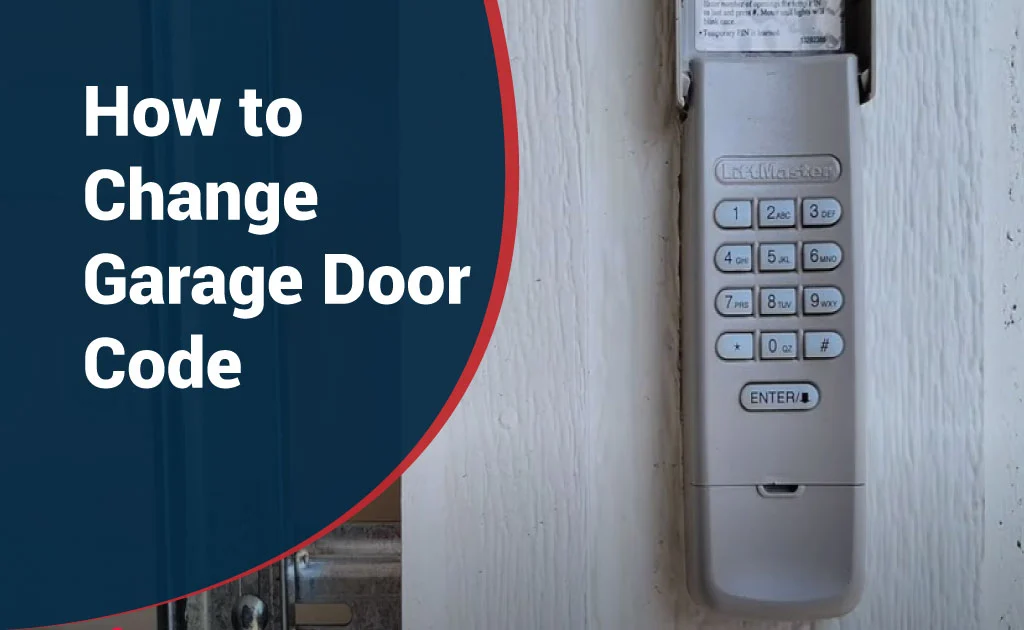
A garage door access code is a personal identification number (PIN) that allows you to open and close your garage door without using a physical key or remote control. This code is entered on a wireless keypad installed outside your garage.
Once the correct PIN is entered, the garage door opens automatically. This keyless entry system is especially useful for families, homeowners, and busy individuals who want quick and secure access.
How Wireless Keypads Work
Wireless garage keypads communicate with your garage door opener using radio frequency signals. When you enter your code, the keypad sends a signal to the opener motor.
If the signal matches the stored code, the motor activates and lifts the garage door. Many modern systems use rolling code technology, which changes security signals each time the door is used. This feature helps protect against hacking and signal theft.
Difference Between Manual and Smart Openers
Manual garage door openers rely on traditional remotes and physical keypads. They do not connect to the internet and must be programmed directly using buttons located on the motor unit.
Smart garage door openers, on the other hand, connect to Wi-Fi and can be controlled through smartphone apps. These systems allow you to change codes remotely, receive access alerts, track usage, and create temporary PINs for visitors or service providers.
Common Brands and Systems
Some of the most popular garage door opener brands include Chamberlain, LiftMaster, Genie, Craftsman, and Linear. While their basic programming methods are similar, each brand may have slightly different steps.
For best results, always review your owner’s manual or manufacturer’s guide before starting the programming process.
When Should You Change Your Garage Code?
After Moving Into a New Home
Whenever you move into a new house, changing the garage code should be one of your first security tasks. Previous owners, tenants, cleaners, or contractors may still know the old PIN.
Resetting it ensures that only you and your family have access.
If the Code Is Shared with Too Many People
If your garage code has been shared with neighbors, friends, delivery drivers, babysitters, or workers, it is wise to update it regularly. The more people who know your code, the greater the security risk.
Changing the code helps you regain full control.
After Losing a Remote or Keypad Access
If you lose your garage remote or suspect that someone may have access to your keypad, resetting the code immediately helps prevent unauthorized entry and potential theft.
If You Suspect Unauthorized Access
If your garage door opens unexpectedly or shows signs of unusual activity, someone may have learned your code. In such cases, changing it quickly is essential to protect your home.
Routine Security Updates
Security experts recommend updating your garage access code every few months. Regular updates reduce the risk of break-ins and keep your system protected from long-term exposure.
Things to Prepare Before Changing the Code
Proper preparation makes the programming process faster and easier.
First, locate your garage door opener motor, which is usually installed on the ceiling inside your garage.
Next, find the “Learn” or “Program” button on the motor unit. This button allows you to reset and save new codes.
Check the keypad battery and replace it if necessary. Weak batteries can cause connection issues during programming.
If possible, keep your owner’s manual nearby. It may contain special instructions for your specific model.
Finally, make sure your garage door is completely closed before you begin. This helps avoid safety risks and accidental movement.
Step-by-Step Guide: How to Change Your Garage Code
Locate the Learn Button
The Learn button is usually located on the back, side, or bottom of the opener motor near the antenna wire or light cover.
In some models, it may be hidden under a small plastic panel. Common button colors include yellow, red, orange, purple, green, or black, depending on the brand.
If you have trouble finding it, use a flashlight or check your manual.
Activate Programming Mode
Press and hold the Learn button for about 2 to 5 seconds. Release it when the indicator light turns on or starts blinking.
This light shows that your opener is now in programming mode and ready to accept a new code.
Most systems remain in this mode for about 30 seconds, so be prepared to enter your new PIN quickly.
Enter a New Code on the Keypad
Choose a strong and easy-to-remember PIN. Avoid simple combinations such as 1234, 0000, or personal dates.
Enter your selected code on the keypad. Then press the Enter or Program button.
If the opener light blinks or you hear a clicking sound, it means the new code has been saved successfully.
Confirm and Test the New Code
After programming, test your new code by entering it again on the keypad.
If the garage door opens smoothly, your new PIN is active. In most systems, the old code is automatically removed.
If the door does not respond, repeat the process and check the battery, signal range, and button timing.
How to Change the Code Without a Learn Button (If Applicable)
Some older or special garage door openers may not have a visible Learn button. In these cases, alternative programming methods are required.
Using Control Panels
Certain systems allow programming through an indoor wall-mounted control panel. You may need to press and hold specific button combinations to activate programming mode.
Refer to your manual for exact steps.
Using Remote Programming
Some models allow you to reset the keypad using a working remote control. This usually involves pressing and holding buttons in a specific sequence.
Follow manufacturer instructions carefully to avoid errors.
When to Contact Support
If you cannot find the Learn button or reset your code after multiple attempts, it is best to contact the manufacturer’s customer support or a professional garage door technician.
They can help you safely reset your system and prevent damage to your opener.
Changing Codes on Smart Garage Door Openers
Modern smart garage door openers are designed to provide maximum convenience, safety, and control. These advanced systems connect to the internet and allow homeowners to manage garage access through mobile devices and cloud-based platforms.
With smart technology, you can monitor activity, receive instant alerts, and update security settings anytime, anywhere.
Using Mobile Apps
Most smart garage door openers include a dedicated smartphone application for Android and iOS devices. Through this app, you can easily change your garage door PIN, manage user access, and view entry logs.
Simply open the application, navigate to the security or access control section, and follow the on-screen instructions to create or update your code. You can also enable push notifications to receive alerts whenever your garage door opens or closes.
This method is especially useful for homeowners who travel frequently or manage multiple properties.
Resetting Through Wi-Fi Systems
Smart garage door systems connected to Wi-Fi allow you to reset and update access codes remotely. As long as your opener is connected to a stable internet network, you can control its security settings from anywhere in the world.
This feature is highly valuable in emergency situations, such as when a remote is lost or unauthorized access is suspected. You can instantly secure your garage without being physically present.
Managing Multiple Users
Advanced smart openers allow you to create multiple unique access codes for different users. Each family member, employee, cleaner, or technician can have a separate PIN.
This system helps you monitor entry activity, identify users, and maintain accountability. If access is no longer needed, you can disable a specific code without affecting others.
Setting Temporary Codes
Temporary or guest access codes are ideal for short-term visitors, delivery services, or contractors. These PINs can be programmed to expire after a certain date, time, or number of uses.
Temporary codes reduce security risks and prevent long-term exposure. They give you complete control while maintaining flexibility.
Common Problems and How to Fix Them
Even with correct setup, garage door keypads and openers may sometimes experience technical issues. Understanding common problems and their solutions can save time and prevent frustration.
Keypad Not Responding
If your keypad does not respond when buttons are pressed, start by checking the batteries. Weak or dead batteries are the most common cause of keypad failure.
Replace them with fresh, high-quality batteries and clean the keypad surface to remove dust, grease, or moisture that may block contact points.
Code Not Saving
When a new code does not save properly, it is usually due to incorrect timing or missed steps during programming.
Repeat the process carefully and make sure you press the Enter or Program button immediately after entering your PIN. Always complete the process within the system’s time limit.
Light Not Blinking
The indicator light on your opener confirms that programming mode is active. If it does not blink after pressing the Learn button, the system may not be ready to accept new codes.
Try pressing and holding the button again for a few seconds. If the issue continues, inspect the power supply and circuit connection.
Battery Issues
Low batteries weaken signal transmission and cause programming failures. For best performance, replace keypad batteries every 6 to 12 months, even if they still appear functional.
Always use manufacturer-recommended battery types for long-term reliability.
Signal Interference
Wireless signals can be affected by metal objects, electronic devices, thick walls, or nearby transmitters. These obstacles may reduce signal strength and cause delayed responses.
If signal problems occur frequently, reposition the keypad, remove interference sources, or install a signal booster.
Garage Door Code Security Tips
Following strong security practices ensures long-term protection for your home and property.
How to Create Strong PINs
A secure garage door PIN should contain at least 4 to 6 digits with no obvious patterns. Combine random numbers and avoid repeating sequences.
Strong PINs reduce the risk of guessing attacks and unauthorized entry.
Avoiding Simple Combinations
Avoid using common combinations such as 1111, 1234, 0000, phone numbers, or birth years. These are the first codes criminals attempt.
Always choose a unique and unpredictable number.
Changing Codes Regularly
Regular code updates are essential for maintaining security. Change your garage access code every three to six months or after any major security event.
Frequent updates prevent long-term misuse.
Limiting Access
Only share your garage code with trusted individuals. Remove access immediately when someone no longer needs entry.
Review user permissions regularly to maintain full control.
Using Rolling-Code Technology
Modern garage door openers with rolling-code technology generate a new security signal each time the door operates. This prevents hackers from copying or duplicating access codes.
If possible, upgrade to a system that supports this advanced feature.
Frequently Asked Questions (FAQs)
How Often Should I Change My Garage Code?
It is recommended to change your garage code every 3 to 6 months or whenever you suspect a security issue.
Can I Have Multiple Codes?
Yes. Most modern and smart garage door openers support multiple user PINs for better access management.
What If I Forget My Code?
If you forget your PIN, you can reset it using the Learn button, control panel, or mobile app. Refer to your owner’s manual for instructions.
Will Changing the Code Affect Remotes?
In most cases, changing the keypad code does not affect remote controls. However, some older models may require remote reprogramming.
Is Professional Help Needed?
Professional help is not usually required unless you experience repeated technical problems or hardware issues.
When to Call a Professional
While most programming tasks can be handled at home, some situations require expert assistance.
Contact a certified garage door technician if you experience continuous programming failures, system malfunctions, damaged wiring, or unresponsive sensors.
Professional support is also recommended when upgrading outdated openers to modern smart systems. Technicians ensure proper installation, safety compliance, and long-term performance.
Conclusion
Changing your garage door code is a simple yet highly effective way to protect your home, vehicles, and loved ones. By understanding your system, following proper programming steps, and applying strong security practices, you can maintain reliable access control.
Regular code updates, strong PIN selection, limited sharing, and smart technology integration play a crucial role in preventing unauthorized entry.
Make garage security a regular part of your home maintenance routine. A few minutes of attention today can help you avoid serious risks tomorrow.
Your garage is an important part of your home—keep it protected, stay informed, and safeguard what matters most.
